 2f1e8dad74
Add toggle for instant preview

Always keep search box selected so that keyboard navigation works

Add default setting for Instant Preview

Directly set property value for resource via Quick Load menu (no undo/redo or dirty-scene functionality yet)

Add undo/redo functionality

Update class reference

Update doc/classes/EditorSettings.xml

Co-authored-by: Micky <66727710+Mickeon@users.noreply.github.com>

Slight improvement(?) to wording of setting

Allow previewing without committing change

Address various suggestions/improvements

Only allow Instant Preview to be used if Quick Open menu is being used to modify a property

Only allow property-based Quick Load when resource to modify is defined (otherwise default to old behavior)

Apply suggestions from code review

Co-authored-by: Tomasz Chabora <kobewi4e@gmail.com>

Address comments/suggestions

Get rid of duplicated code and use original callback strategy

(Attempt to) fix Instant Preview for editing multiple nodes at once and undo/redo stack for single nodes

Fix cancelling Quick Open when multiple nodes are selected

Prevent initially selected item in Quick Open dialog from overwriting the currently selected property

Apply suggestions from code review

Co-authored-by: Tomasz Chabora <kobewi4e@gmail.com>
Co-authored-by: A Thousand Ships <96648715+AThousandShips@users.noreply.github.com>

Make a few changes/improvements based on feedback

- Combine some duplicated code into `_finish_dialog_setup()`
- Move `ERR_FAIL_NULL(p_obj);` to top of checks
- Fix renaming of `is_instant_preview_enabled()` across code, and remove now-redundant conditions where it is used
- Make `EditorResourcePicker::property_path` be `StringName` not `String`


Godot Engine

2D and 3D cross-platform game engine
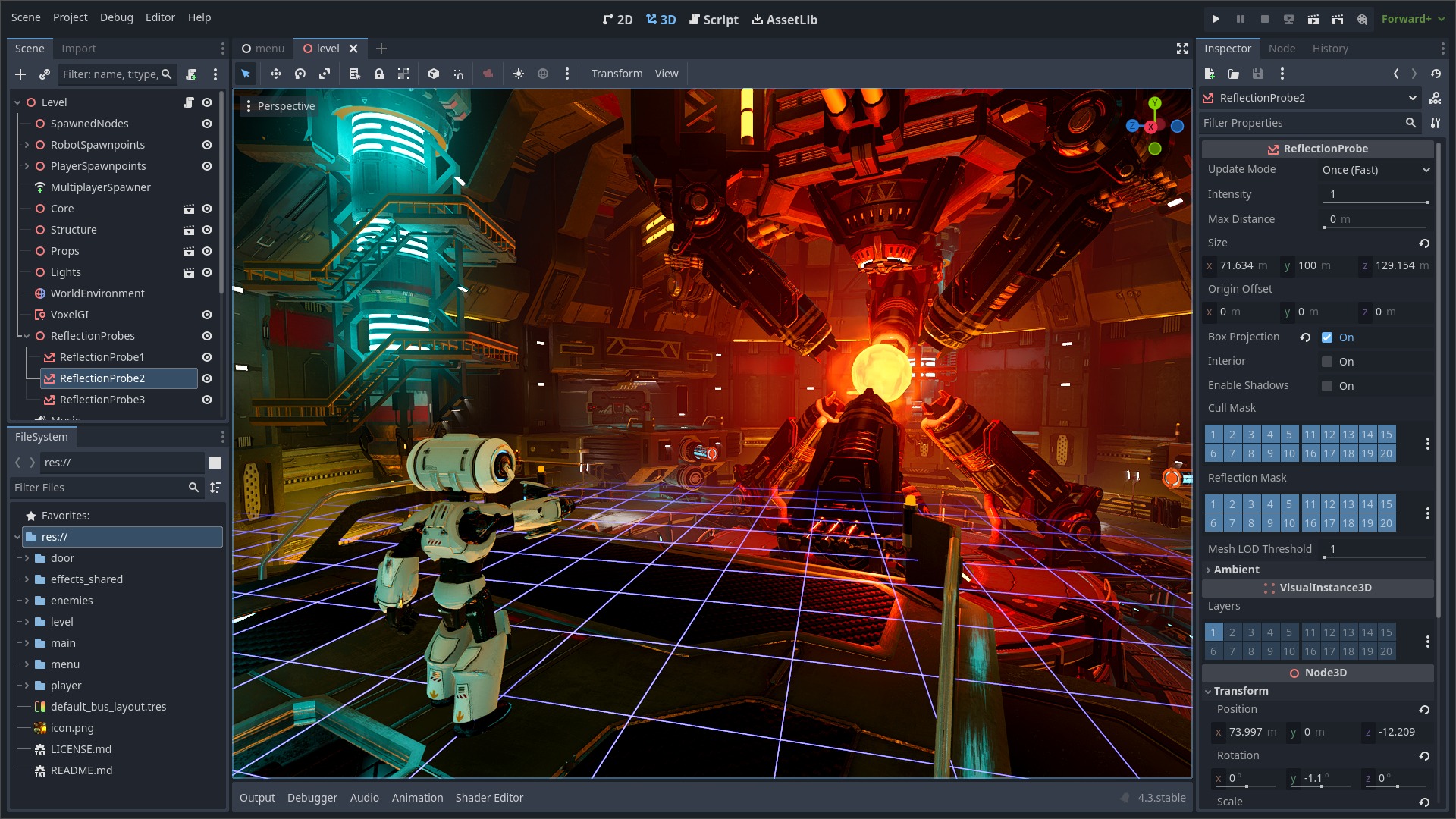
Godot Engine is a feature-packed, cross-platform game engine to create 2D and 3D games from a unified interface. It provides a comprehensive set of common tools, so that users can focus on making games without having to reinvent the wheel. Games can be exported with one click to a number of platforms, including the major desktop platforms (Linux, macOS, Windows), mobile platforms (Android, iOS), as well as Web-based platforms and consoles.
Free, open source and community-driven
Godot is completely free and open source under the very permissive MIT license. No strings attached, no royalties, nothing. The users' games are theirs, down to the last line of engine code. Godot's development is fully independent and community-driven, empowering users to help shape their engine to match their expectations. It is supported by the Godot Foundation not-for-profit.
Before being open sourced in February 2014, Godot had been developed by Juan Linietsky and Ariel Manzur (both still maintaining the project) for several years as an in-house engine, used to publish several work-for-hire titles.
Getting the engine
Binary downloads
Official binaries for the Godot editor and the export templates can be found on the Godot website.
Compiling from source
See the official docs for compilation instructions for every supported platform.
Community and contributing
Godot is not only an engine but an ever-growing community of users and engine developers. The main community channels are listed on the homepage.
The best way to get in touch with the core engine developers is to join the Godot Contributors Chat.
To get started contributing to the project, see the contributing guide. This document also includes guidelines for reporting bugs.
Documentation and demos
The official documentation is hosted on Read the Docs. It is maintained by the Godot community in its own GitHub repository.
The class reference is also accessible from the Godot editor.
We also maintain official demos in their own GitHub repository as well as a list of awesome Godot community resources.
There are also a number of other learning resources provided by the community, such as text and video tutorials, demos, etc. Consult the community channels for more information.

